
Contents
Something has shifted in how I work in Second Life. For the first time, I can describe what I want a script to do in plain, everyday English — and have it built for me, working in-world, within minutes. No syntax memorization, no wrestling with obscure function names. Just: “I want the whiteboard to go to the next page when someone clicks the arrow” — and it does. See how the workflow is built →
That changes everything. It means I can now create tools that would have taken weeks to build from scratch. Right now, I’m pointing that capability at something I care about: new kinds of educator tools for virtual worlds. What I’m building is aimed at language teachers, but the same technology could work just as well for museum curators, storytellers, tour guides — anyone who wants to create a genuinely immersive experience in Second Life that goes beyond standing in a room and talking.
Exploring Spanish language learning in Second Life
My exploration yesterday took me somewhere I’d been curious about for a while: could I build a genuinely useful tool for learning Spanish, inside a virtual world?
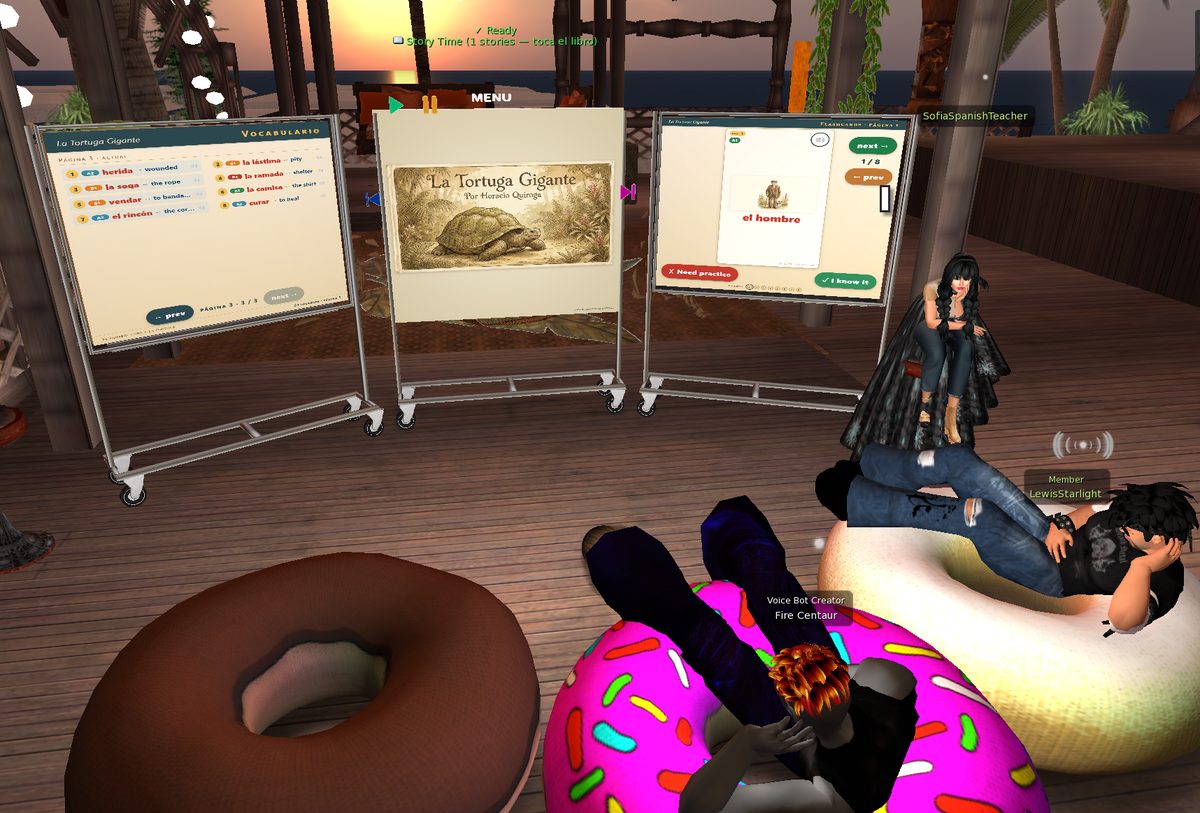
What I came up with was a collaboration between Sofia — an AI-powered avatar — and a presentation whiteboard that displays six beautifully illustrated pages from a classic Spanish children’s story, rendered directly on the whiteboard surface using MOAP.
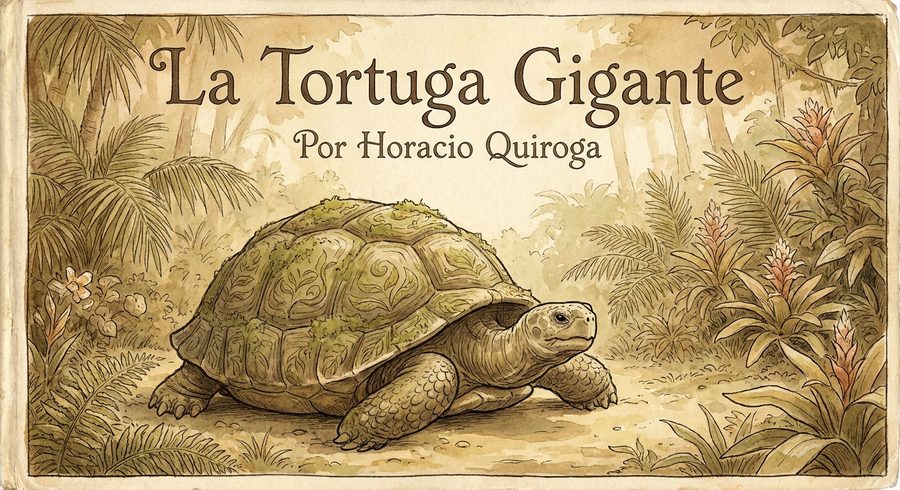
The story is La Tortuga Gigante (The Giant Tortoise) by Horacio Quiroga, written in 1918 and now in the public domain. You can read about it on Wikipedia. I used Gemini to create a set of stunning watercolor-style illustrations — one for each page of the story — and Sofia narrates it aloud using her voice.
Who is Sofia?
Sofia is a fully realized Second Life resident — not a system account or a floating name tag. Creating her involved a few distinct steps.
First, a new Second Life account. Then a trip to the Second Life Marketplace to find her an actual avatar: a proper mesh body, skin, hair, and clothes that give her a distinct presence in-world. She looks like someone you’d meet at a language class, not a placeholder.
The intelligence comes from a customized bot platform I’ve built on top of open-source Second Life bot software. A web dashboard lets me configure her personality, her language model, her voice, and her behavior — all without touching code. I’ll be going deeper on the dashboard in an upcoming post, but the short version is: I can swap her AI brain, her teaching style, and her responses from a browser.
The piece that makes her feel real is the voice. A lot of my work over the past year with Agent Vibes has been about TTS — getting AI agents to actually speak out loud rather than just typing. I brought that same pipeline into Second Life: Sofia’s responses are rendered as audio and piped directly into Second Life’s voice channel, so she shows the green voice bars above her head and her voice appears to come from her location in the virtual space. Spatial audio means you hear her differently depending on where you’re standing relative to her — the same way you’d hear a real person in the room.
How it works
The whiteboard looks like a simple presentation panel with a few buttons. At the top is a menu button. When you press it, Sofia — standing nearby, exactly as a real teacher would — greets you and explains in her own words that she can read you a story in Spanish, asking which one you’d like. Right now the only available story is La Tortuga Gigante.
When you choose it, the first page appears on the whiteboard and Sofia begins to read. She narrates each page aloud in Spanish using spatial audio, meaning her voice comes from her direction in the virtual world — not from a speaker somewhere off in the distance. It’s immersive in a way that a screen share or Zoom call never quite achieves.
Press the play button, and you’re inside the story.
Going further — companion panels on either side
I added two more whiteboards flanking the main one, both powered by MOAP. The left panel shows a vocabulary display for the words on each story page — and it accumulates as you move through the story, so by page three you’re seeing all the new words from pages one through three, organized by section. The right panel handles comprehension exercises.
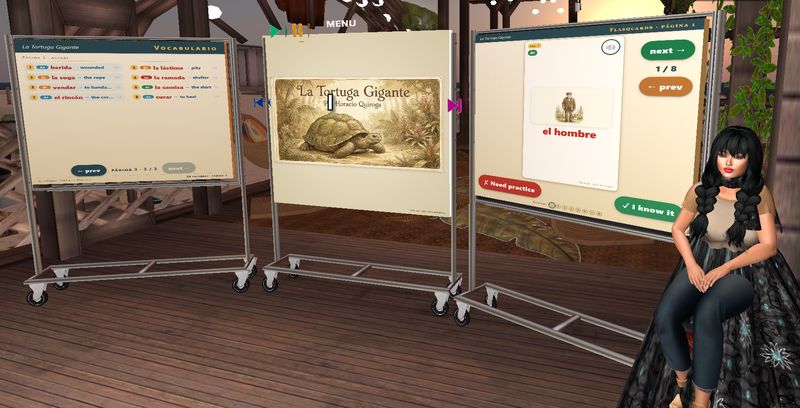
The whole setup stays entirely inside Second Life. Your audience never has to open a browser or leave the world.
You can page through the story right here — the flipbook below is the same content Sofia reads in-world:
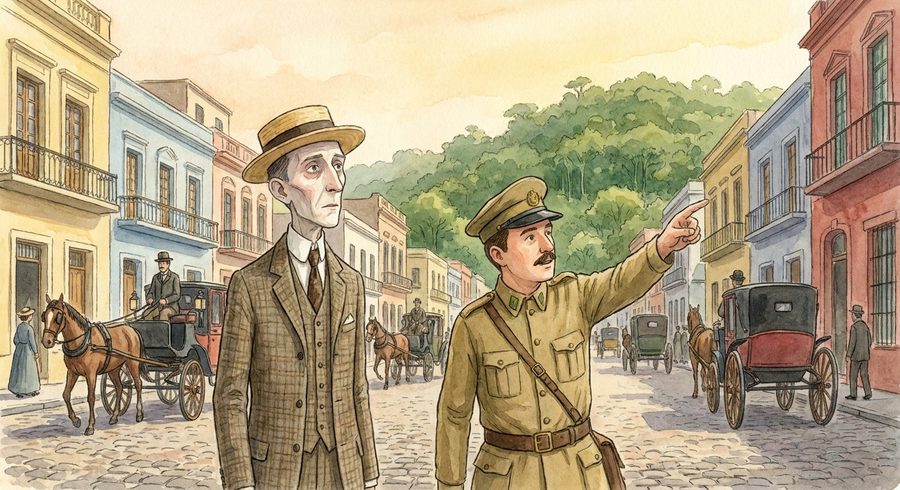
Había una vez un hombre que vivía en Buenos Aires, y estaba muy contento porque era un hombre sano y trabajador. Pero un día se enfermó, y los médicos le dijeron que solamente yéndose al campo podría curarse. Hasta que un amigo suyo, que era director del Zoológico, le dijo: «Vaya a vivir al monte, a hacer mucho ejercicio al aire libre para curarse. Cace bichos del monte y tráigame los cueros.» El hombre aceptó, y se fue a vivir al monte, lejos, más lejos que Misiones todavía. Vivía solo en el bosque, y él mismo se cocinaba.
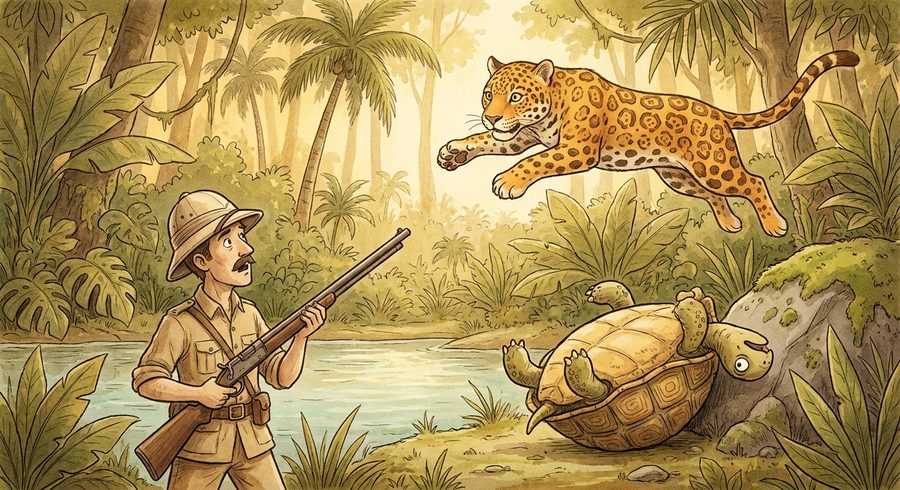
Un día en que tenía mucha hambre, vio a la orilla de una gran laguna un tigre enorme que quería comer una tortuga. Al ver al hombre el tigre lanzó un rugido espantoso y se lanzó de un salto sobre él. Pero el cazador, que tenía gran puntería, le apuntó entre los ojos, y le rompió la cabeza. Después le sacó el cuero, tan grande que él solo podría servir de alfombra para un cuarto.
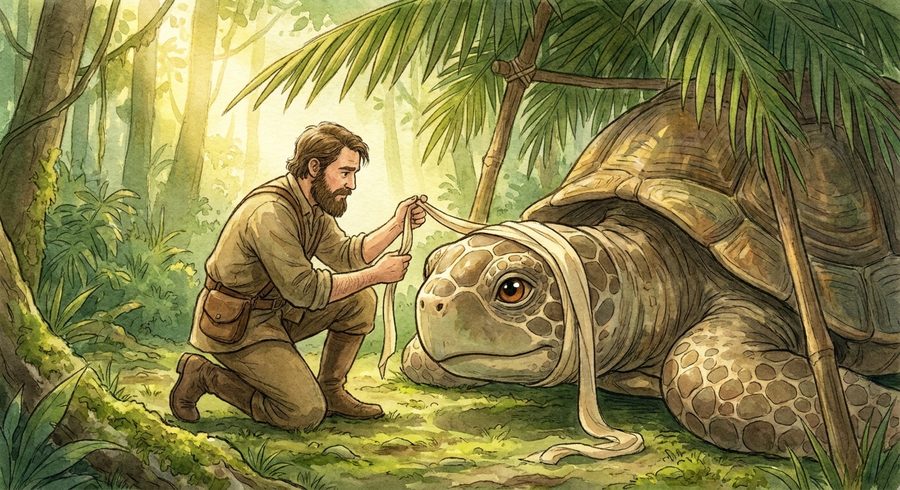
Pero cuando se acercó a la tortuga, vio que estaba ya herida, y tenía la cabeza casi separada del cuello. A pesar del hambre que sentía, el hombre tuvo lástima de la pobre tortuga, y la llevó arrastrando con una soga hasta su ramada y le vendó la cabeza con tiras de género que sacó de su camisa, porque no tenía más que una sola camisa. La tortuga quedó arrimada a un rincón, y allí pasó días y días sin moverse. El hombre la curaba todos los días y la tortuga sanó por fin.
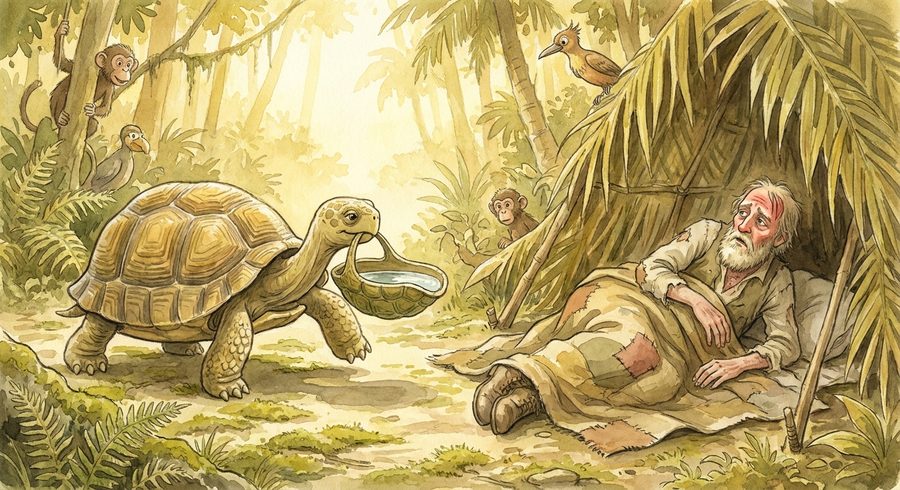
Pero entonces fue el hombre quien se enfermó. Tuvo fiebre y le dolía todo el cuerpo. La fiebre aumentaba siempre, y la garganta le quemaba de tanta sed. La tortuga lo había oído, y pensó: «El hombre no me comió la otra vez, aunque tenía mucha hambre, y me curó. Yo lo voy a curar a él ahora.» Fue entonces a la laguna, buscó una cáscara de tortuga chiquita, y la llenó de agua y le dio de beber al hombre. Todas las mañanas, la tortuga recorría el monte buscando raíces ricas para darle.
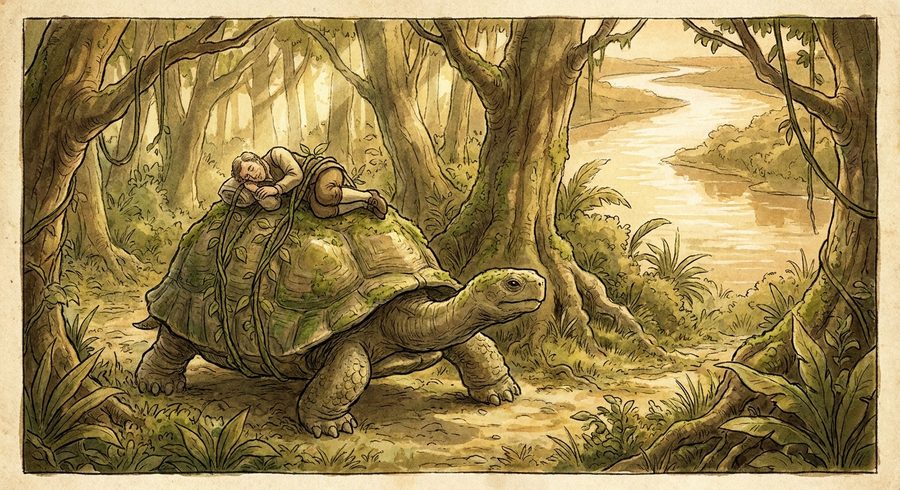
«Si queda aquí en el monte se va a morir, y tengo que llevarlo a Buenos Aires.» Cortó enredaderas finas y fuertes, acostó con mucho cuidado al hombre encima de su lomo, y lo sujetó bien para que no se cayese. La tortuga caminó, caminó y caminó de día y de noche. Atravesó montes, campos, cruzó a nado ríos de una legua de ancho, y atravesó pantanos en que quedaba casi enterrada, siempre con el hombre moribundo encima. Cada día la tortuga se iba debilitando, pero no se quejaba.

Cuando cayó del todo la noche, la tortuga vio una luz lejana en el horizonte, pero no supo qué era. Se sentía cada vez más débil, y cerró los ojos para morir. Pero un ratón de la ciudad encontró a los dos viajeros. «¡Ah, zonza!» dijo riendo el ratoncito. «¡Si ya has llegado a Buenos Aires! Esa luz que ves allí es Buenos Aires.» Y cuando era de madrugada, el director del Jardín Zoológico vio llegar a la tortuga embarrada, que traía a su amigo. El cazador se curó. Y la tortuga, feliz, vive en el Jardín Zoológico, y el cazador la va a ver todas las tardes.
La Tortuga Gigante · Horacio Quiroga (1918, public domain) · AI-generated watercolor illustrations via Gemini Imagen

Want AI bots for your Second Life sim?
I build voiced, scripted AI avatars for sims, events, and educational spaces — characters with real personalities, spatial awareness, and in-world behavior. If you're curious what this could look like in your space, get in touch.
Explore the SL AI service →
How Claude was taught LSL
This is the foundation that made the rest possible. LSL is not a language a general-purpose AI knows fluently out of the box. Second Life’s function set is too niche, and the documentation too scattered. So I pre-loaded the server with a complete reference and taught Claude where to look.
The full LSL wiki reference lives on the VPS, sharded into focused files: language types and control flow, string and list functions, math and vectors, prim and inventory, avatar and HTTP and communication, events and constants and worked examples. Each shard is small enough to read on demand.
On top of that sits a community-compiled gotchas document — the things the official wiki doesn’t warn you about. Memory limits, timing behaviors, HTTP-in URL lifecycle on region restarts. This file is what stops Claude from confidently shipping subtly broken scripts.
A small index file in Claude’s global instructions gives a one-line summary of each shard. Claude reads the summary, decides which section is relevant, and loads only that file. The full reference never floods the conversation unless it’s actually needed. That single discipline — look it up on demand, don’t front-load — is what makes a giant language reference usable inside an AI context window.
One-line summary of each section. Claude reads this first and picks only the part it needs — the full 371 KB reference never loads unless necessary.
- 01 — Language types & control flow
- 02 — String & list functions
- 03 — Math, vectors, rotation
- 04 — Prim, object, inventory
- 05 — Avatar, HTTP, communications
- 06 — Events, constants, patterns
Memory limits · timer edge-cases · HTTP-in URL lifecycle · llListen cap · anti-patterns table. Always consulted before writing any script.
Optimized way for Claude to deliver LSL scripts in-world
Once Claude has written or updated a script, getting it into my hands is completely seamless — no copy-pasting involved at any step.
Version number stamped in the banner comment so I always know what I'm holding.
A thin proxy on the VPS signs every request before it reaches Sofia.
SecondBot sends the source to the LSL compiler inside Second Life. Any compile error is returned immediately — Claude reads it directly and ships a fix.
Sofia sends the compiled script to my avatar. I see it arrive in chat and accept it.
I drag the new script into the whiteboard prim, remove the old version, click to test. Total time: about 20 seconds.
A note on linting: There’s no separate LSL linter in the pipeline. The gotchas knowledge base acts as the pre-flight check — Claude consults it before writing, catching the most common mistakes before the script is even sent. Then the Second Life compiler itself is the final arbiter: if it rejects the script, the error comes straight back through the relay and Claude fixes it on the spot.
2026: a genuinely new way to build in Second Life
The bottleneck used to be LSL itself — syntax, function names, quirks that took hours to track down in the documentation. Now the bottleneck is design. What should this tool do? How should it feel? What story does it tell?
The AI handles everything below the design layer. The result: a storybook that reads itself aloud in Spanish, with vocabulary panels and comprehension activities, built across two days with more than twenty iterations. An audience that stays inside the virtual world from start to finish.
Drop the kiosk in-world, click the cover, and let Sofia tell you about a giant tortoise.
Related reading
- I Built an AI Spanish Tutor in Second Life — and She Actually Speaks — Sofia’s predecessor: Sophia the NPC language tutor with live conversation, OpenRouter model switching, and the green-bars moment
- I Gave Second Life Bots a Brain, a Voice, and a Soul — the full bot platform: Lewis Starlight, Hermes agent, LSL scripting, and the dashboard that runs the fleet
- I Failed at Meditating in Real Life, So I Tried It in Second Life — RisingBreath, the meditation bot: MOAP signpost, HMAC-protected API, and the same TTS pipeline in a different context
- Agent Vibes: Finally, Your AI Agents Can Talk Back — the open-source TTS layer that powers voice in these bots
Comments
Loading comments…
Leave a comment