
Contents
The hardest part of building AI avatars in Second Life isn’t the AI. The AI is almost easy now — you hook up an LLM, give it a personality, and it can hold a conversation. The hard part is getting the voice out of a container running on a server and into the ears of someone standing next to your avatar on the other side of the planet.
I’ve been running a fleet of AI bots in Second Life for a while now. Each one has its own voice, its own character, and the ability to speak in-world to real people. Getting that to work — reliably, at low latency, across restarts, across region changes, across the occasional SL voice server having a bad day — took longer than I expected and produced more interesting solutions than I planned for.
This is how the pipeline works.
The problem in one paragraph
Second Life has voice. Under the hood it’s WebRTC — Linden Lab moved away from Vivox around 2024-2025 and the new stack is standard modern videoconf infrastructure. But it’s completely walled off behind the viewer’s voice client. There’s no documented way for an external program to push audio frames directly into SL’s voice channels. If you want your bot to speak, you go through the same path the viewer goes through — and the viewer is a C++ desktop app that expects a microphone, a sound card, and a human sitting in front of it. None of which a headless containerised bot has.
The solution: don’t try to be a WebRTC peer. Let the bot library handle all the voice negotiation — it already does that — and feed it audio through the path it already exposes: a folder it watches, where each WAV file you drop in gets streamed into the voice channel as if it were live microphone input.
That one insight is the whole architecture. Everything else is details.
A note on the stack: we’re running a fork of an open-source SL bot library that isn’t public yet. The folder-watching voice path is the library’s own feature — it handles the WebRTC negotiation and audio streaming. Everything else in this post — the TTS pipeline, the ffmpeg processing, the orchestrator, the watchdog, the dashboard — is custom code built on top of it.
The speak queue — why a folder is the right interface
Each bot has its own directory. The bot library’s voice service watches it and streams any WAV files that appear into the active SL voice channel, in filename order, deleting each one after it plays. Files are named speak-<unix-nanoseconds>.wav so they sort in arrival order automatically.
I keep coming back to this design as the right one. Here’s why:
“Send the bot a voice line” = drop a WAV file in a directory. Bash one-liners can do it. Cron jobs can do it. Anything that can write a file can do it. The meditation library — which plays recorded tracks through a bot’s voice — wires up in one ffmpeg command into the speak queue. Music previews work the same way. No SDK, no schema, no auth token at the bot boundary. The directory permissions are the auth.
It’s a queue by default. Drop three lines in quick succession, the bot plays them in order, no buffer overrun, nothing dropped. The filesystem is the queue.
It’s observable. ls voice-in/ tells you exactly what’s waiting to be spoken. Standard Unix tools, no custom tooling needed.
It’s crash-safe. If the bot crashes mid-utterance, the half-played file is gone but anything else in the directory survives the restart and plays when the bot comes back.
This is the kind of design that looks too simple when you first think of it and then turns out to be the right answer.
Under the hood: full pipeline step by step ›
The path a single utterance takes from decision to speaker:
- Brain decides what to say. Either the per-bot chat agent (responding to nearby in-world chat) or the orchestrator (responding to a dashboard command, narration prompt, etc.) produces a string of text.
- POST
/speakto that bot’s per-bot TTS HTTP server — a tiny service living on127.0.0.1only, no auth beyond its loopback binding. - Text cleanup. A preprocessing step strips emojis, expands abbreviations (“10km” → “ten kilometres”), collapses repeated punctuation. Neural TTS engines do not enjoy raw emoji.
- Piper synthesises a WAV. The per-bot voice config sets which speaker model to use.
- ffmpeg resamples + prepends silence. Output: 16 kHz mono, signed-16 PCM, with two seconds of silence prepended. Both of these details matter — see below.
- Drop the WAV into the bot’s speak queue folder.
- The bot library’s voice service picks it up and streams the audio into the active SL voice channel.
- SL distributes it over WebRTC. Avatars nearby hear the bot speak. In spatial voice the audio attenuates with distance; in group voice every group member on the grid hears it at full volume.
Total latency from POST /speak to “I can hear it in the viewer”: 1.5–3 seconds, mostly Piper synthesis and the SL voice channel’s first-packet warm-up. After the first utterance in a session, subsequent ones come in under a second.
Every bot gets a different voice
The TTS engine is Piper — a fast neural model that runs CPU-only, ships as a single binary plus an .onnx model file, and produces a 4-second WAV in under 200 ms on a mid-tier server. The quality is genuinely impressive for something that needs no GPU. If you want more expressive or emotive voices, ElevenLabs works as a drop-in alternative — the pipeline doesn’t care where the WAV comes from.
The voice model I use is a multi-speaker model trained on the LibriTTS corpus. One 100 MB model file contains hundreds of distinguishable speakers, each indexed by an integer ID and a human-friendly name. That one model serves the entire fleet — each bot just gets a different speaker ID at synthesis time. The alternative would be a separate model file per bot, which would mean ten model files, ten times the disk usage, ten times the RAM.
Per-bot voice assignment is a one-line text file in the bot’s config directory. The dashboard ships a voice picker UI that lets you preview every speaker — small pre-generated WAVs of each voice saying a sample line. Clicking a new voice in the UI writes the file atomically, and the bot’s next utterance uses the new voice. No restart needed.

Technical: Piper, LibriTTS, and the voice picker architecture ›
The voice model is en_US-libritts-high — a multi-speaker Piper model. Each speaker has a name (Bella-2, Jake-3, Olivia-10, etc.) mapped to an integer ID in the accompanying .onnx.json file. The bot’s speak script reads the one-line voice config and passes --speaker N to Piper at synthesis time.
The voice picker pre-generates preview WAVs for every speaker — each one says a short sample line. A separate host-native sidecar (running Piper directly, not inside a container) handles this pre-generation. The bot containers themselves stay clean python:3.12-slim images with no audio dependencies. The messy native-binary audio work lives in its own process.
The orchestrator’s [BOT:Voice:SpeakerName] directive can rebind a bot’s voice mid-session — an in-world request like “switch to a deeper voice” writes the config file atomically and the next utterance uses the new speaker. The directive goes through a destructive-permission gate in the brain so only authorised operators can trigger it.
The two audio gotchas — where developer intuition earns its keep
Neither of these is documented anywhere. Both are the kind of thing you find quickly when you’ve debugged enough audio pipelines to know where to look — not because the problem announces itself, but because you recognize the shape of it.
Prepend two seconds of silence to every utterance. Without this, the first half-second of every line gets clipped at the listener’s end. When a voice channel sees a new audio stream begin, the SL voice client needs a moment to spin up its decoder, allocate jitter buffers, and start playback. Anything that arrives during that warm-up window is silently dropped. Two seconds is more than necessary — 800 ms would probably do — but it’s a clean number that has never failed.
Resample to 16 kHz mono signed-16 PCM. Piper outputs at a higher sample rate. The SL voice channel accepts it but streams more reliably at 16 kHz — fewer artefacts, less data on the wire, and 16 kHz is the rate SL’s voice codec was historically designed around.
Both fixes live in one ffmpeg line that runs on every WAV before it hits the speak queue:
ffmpeg -y -i input.wav \
  -af "adelay=2000|2000" \
  -ar 16000 -ac 1 -sample_fmt s16 \
  -f wav output.wav -loglevel quiet
Once those two were in place, the bots started sounding like they were actually speaking rather than mumbling from the start of every sentence.
Group voice vs spatial voice
SL has two distinct voice channel types and the bots use both:
Spatial voice is bound to the parcel. Audio attenuates with distance — the way a person sounds in a room, fading as you walk away. This is what you want when bots are part of a scene. A bot at the bar should sound like they’re at the bar.
Group voice is bound to a Linden group. Every group member anywhere on the grid hears it at full volume, no distance attenuation. This is right for demos, narration, meditation guidance — any situation where you want every listener to hear clearly regardless of where they’re standing.
A script flips the whole fleet between modes via the bot relay. End-to-end transition is about 4–8 seconds per bot — voice provisioning in SL isn’t fast. Most of the fleet defaults to group voice. The musician bot defaults to spatial, because being able to walk away from the gig and stop hearing the music is exactly how a gig should work.
Technical: virtmic fallback and the PipeWire suspension problem ›
The primary voice path is the speak queue. There’s a secondary path for when the SL viewer (Firestorm, etc.) is running on the host itself — for example, when testing manually. The viewer wants a microphone device. The server has none. So we fake one with PipeWire.
A setup script does three things: loads a null-sink (audio goes nowhere, but writes succeed), loads a remap-source that exposes the null sink’s monitor as a virtual microphone, and loads a loopback that feeds the sink’s monitor back into itself.
The loopback is the critical piece. PipeWire null sinks auto-suspend when idle, which kills their clock. When you then try to write to a suspended sink with pw-cat, it hangs forever waiting for a clock that never ticks. The loopback is a tiny perpetual write/read cycle that keeps the sink alive and clocked. Without it, the virtual mic appears in the viewer’s device list but nothing ever comes out the other side.
With it running, pw-cat --playback --target=<virtmic-id> file.wav plays audio through the virtual mic and the SL viewer picks it up as microphone input. This path is used essentially never in steady state — the speak queue is more reliable and lower latency — but it’s the right sanity-check when something in the voice service is broken and you need to verify audio is reaching SL’s WebRTC pipes at all.
The watchdog — because SL voice has bad days
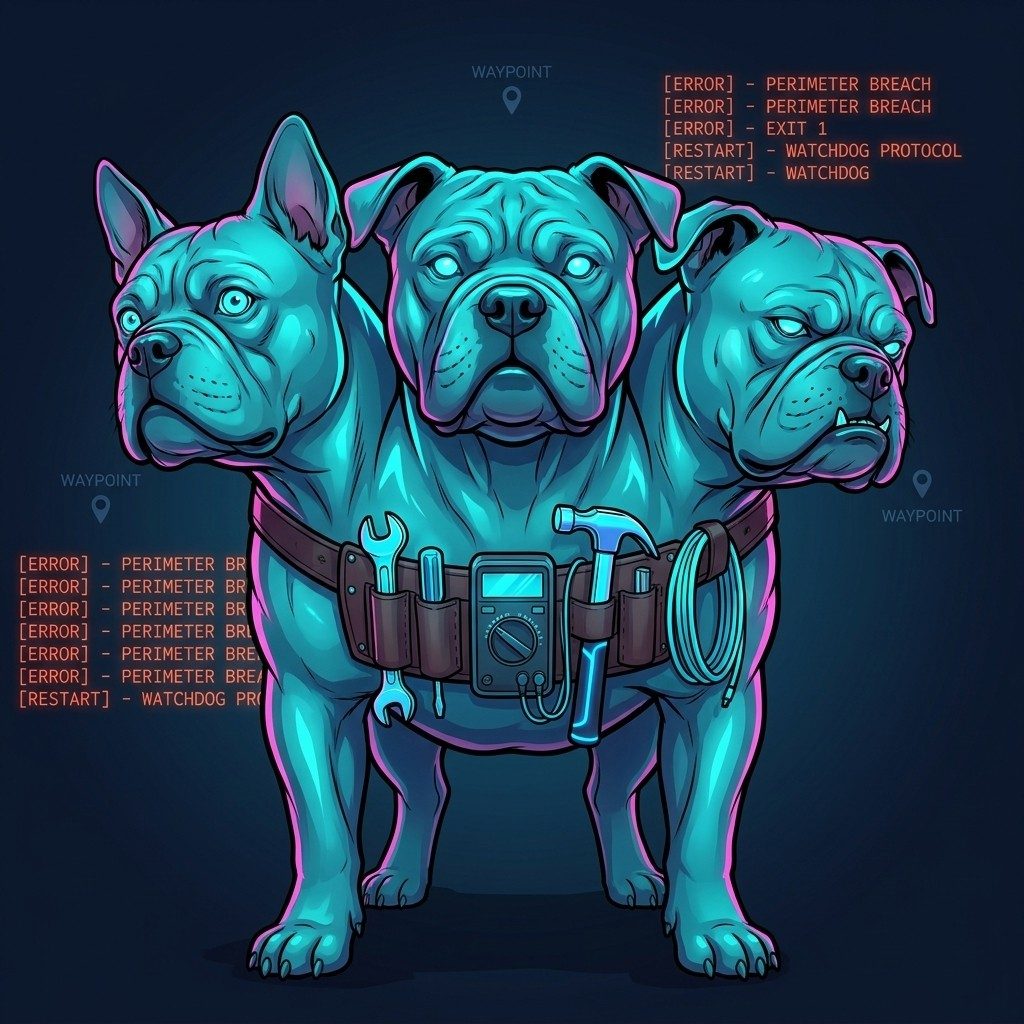
SL occasionally rejects voice provisioning on certain parcels. When this happens, the bot’s voice service retries every ~1.5 seconds with no back-off, indefinitely. The log fills with errors at about 40 per minute. The bot is otherwise functional but produces no audio.
The only recovery is a container restart — the bot logs back in fresh, SL re-provisions voice, and it usually works. So there’s a watchdog cron job that checks each bot’s logs every minute, counts provision errors, and restarts any container that’s crossed around 20 errors per minute. There’s a cooldown to avoid thrash-loops, and a separate check for stale WAV files sitting in the speak queue longer than 30 seconds (which indicates the voice service is hung in a different way).
This is a circuit-breaker, not a fix. It’s an honest acknowledgment that SL voice provisioning has bad days, the bot library doesn’t handle it gracefully, and the cleanest place to catch it is at the symptom level. It’s been running quietly for months and means I don’t have to babysit ten bots to notice when one of them has gone silent.
Technical: watchdog implementation and log-pattern matching ›
The watchdog script runs as a cron job every minute. For each voice-bearing bot it:
- Greps the container logs for the last 60 seconds of output
- Counts occurrences of “provision error” strings
- Compares against a threshold (~20 errors/minute)
- If exceeded, checks a per-bot cooldown file — if the bot was restarted within the last 5 minutes, skip it
- Otherwise:
docker restart <container>, write the current timestamp to the cooldown file, log the event
A separate check scans the speak queue directories. Any WAV file older than 30 seconds means the voice service has stopped consuming from the queue — different failure mode, same response.
The watchdog’s log is operationally useful: a spike in restart events on a particular bot is a leading indicator that SL’s voice infrastructure is having a rough day on a specific region or parcel. Without the watchdog, the symptom (no audio from one bot) is subtle and easy to miss. With it, every transient SL voice issue produces a timestamped restart entry.
On the SL backlash and what this is not
The SL community has legitimate concerns about AI bots — I’ve written about this more in the Virtlantis post. The short version here: every bot in this fleet runs on land I own or have been invited onto. The voices are AI-generated speech, not harvested from real residents. No one is being impersonated. This is a set of tools for educators and event organizers, not a replacement for the human community that makes Second Life worth being in.
Building AI Bots for Second Life?
I build intelligent speaking avatars with real in-world behavior — navigation, scripting, voice, custom personalities. If you're running a sim, an event, or an educational space and want AI that actually feels present, this is what working together looks like:
No fixed packages. No agency overhead. Just direct work with the person who built this stack. Tell me what you're building and we'll figure out if it's a fit.
Related reading
- Teaching Bots to Walk: Waypoints, A* Pathfinding, and Spatial Intelligence in Second Life — once they can speak, giving them somewhere to walk
- I Taught Claude Code to Write LSL and Hand-Deliver Scripts to My Avatar — how the scripts that control in-world voice triggers were written and delivered
- I Gave Second Life Bots a Brain, a Voice, and a Soul — the full architecture: SecondBot, Hermes, the bot fleet
- Notes from Virtlantis: AI Bots, Voice, and the Teacher as Puppet Master — four AI avatars, one dashboard, one teacher
- Agent Vibes: Finally, Your AI Agents Can Talk Back — the open-source TTS project that grew out of this work
Need voiced AI bots for your Second Life sim or virtual world project?
I'm available for contracting. Custom bot builds, voice pipeline setup, fleet management, NPC characters, event narration, educator tools — if it involves AI avatars in virtual worlds, this is what I do. Reach out and tell me what you're building.

Comments
Loading comments…
Leave a comment