
← Blog

Party Memory: The AI Room That Remembers Your Codebase

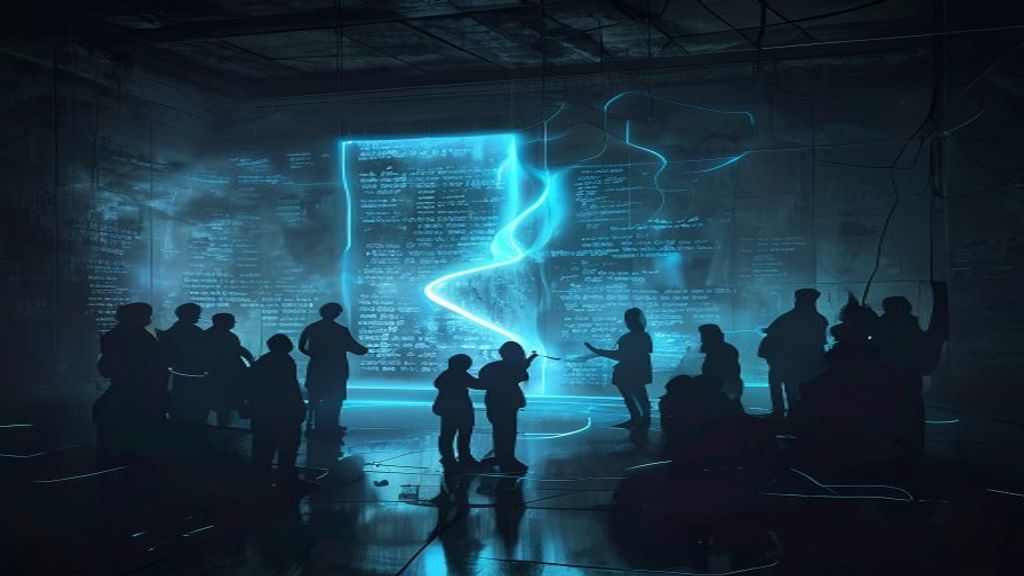
Shared memory scroll glowing in an AI party room with silhouetted characters
New here? What is BMAD?
BMAD Method is a free, open-source AI workflow framework that runs inside Claude Code. Instead of talking to one AI, BMAD gives you a cast of specialized AI personas — each with a distinct role and agenda — that you summon to work through problems together. You invoke tools like this one with a slash command. This post covers one specific feature: how BMAD's party mode remembers what your room has learned across sessions.

01 — The Cold-Start Problem

Every party session starts cold. The room spins up, your characters arrive, and nobody knows a thing about your project.

Your architecture decisions, the quirks of your payment module, the reason you chose that unusual database schema, the debate from last Tuesday that ended with a concrete resolution — gone. The agents are sharp, but they're meeting your codebase for the first time. Again.

That's the default. It's the right default — ephemeral sessions are clean, cheap, and safe. But for teams working on the same project across many sessions, starting from scratch every time is a real cost. You spend the first ten minutes of every room re-establishing context that the agents should already know.

Party memory solves this. When memory is enabled for a group, the room accumulates knowledge between sessions. Not as summaries injected into every prompt — as a living, append-only log that the orchestrator reads at the start of each session and writes to whenever something worth remembering happens.

02 — What Memory Actually Is
<div class="callout">
  <div class="callout-title">The Core Principle</div>
  Memory is per-party and append-only. One <code>.memlog.md</code> per group, shared by every member of that group. The room remembers — not individual characters.
</div>

<p>This distinction matters. It's tempting to think of memory as each character accumulating their own personal history — Grumbal building up his own notes on your payment module, Vex tracking her own list of concerns. That's not how it works.</p>
<p>There is exactly one memlog per group. Every entry lands in the same file. All characters read from it and write to it. What you get is a shared room memory, not a collection of individual character memories.</p>
<p>The <strong>append-only</strong> design is just as fundamental as the shared structure. Entries land at the end, in the order they happen. Nothing is ever inserted backward, reordered, edited, or removed. There is no edit or delete subcommand by design — history is never rewritten. If something was logged wrong, you append a new entry that supersedes it. The old one stays.</p>

<div class="callout callout-yellow">
  <div class="callout-title">What the Room Remembers</div>
  Decisions, outcomes, alliances formed, clashes that shifted the room's temperature, lines worth a future callback. The orchestrator writes when a memorable beat lands — not on a timer, not after every exchange.
</div>
03 — How It Works
<p>The memlog lives at a predictable path inside your output folder:</p>

<div class="code-block">
  <div class="code-header">memlog path pattern</div>
  <pre><code>{output_folder}/party-mode/memories/{group-id}/.memlog.md</code></pre>
</div>

<p>For a group called <code>code-review-crew</code> using the default output folder, that's:</p>

<div class="code-block">
  <div class="code-header">example path</div>
  <pre><code>_bmad-output/party-mode/memories/code-review-crew/.memlog.md</code></pre>
</div>

<p><strong>Writes are judicious, not automatic.</strong> The orchestrator decides when to write. The criteria: when a memorable beat lands — a clash that shifts the room's temperature, an alliance forming, a line worth a future callback, a decision, an outcome. Not every exchange. Not a running transcript.</p>
<p>Writes are also silent. The room never announces "noted." Characters don't break to acknowledge that something was logged. The memlog accumulates in the background, invisibly, and surfaces naturally at the start of the next session when the orchestrator loads it.</p>
04 — Enabling Memory
<p>Memory is not on by default for named groups. You opt in by adding <code>memory = true</code> to the group's entry in your user TOML config.</p>

<div class="cmd-block">
  <div class="cmd-label">
    <span>_bmad/custom/bmad-party-mode.user.toml</span>
    <span class="cmd-note">add memory = true to your group</span>
  </div>
  <pre id="toml-enable"><code>[[workflow.party_groups]]

id = “code-review-crew” name = “Code Review Crew” memory = true cast = [ { code = “vex”, role = “Senior Dev — tears through logic and edge cases” }, { code = “grumbal”, role = “Grumpy Architect — calls out every structural smell” }, { code = “yui”, role = “Junior Dev — asks the questions others won’t” }, ]

<p>That's the entire opt-in. Next time you open that group, the orchestrator checks for an existing memlog, loads it if present, and starts writing to it when memorable beats occur.</p>
05 — Memory Defaults at a Glance
<p>Three types of party sessions — three different memory behaviors:</p>

<div class="mode-grid">
  <div class="mode-card">
    <div class="mode-name">Named groups (user-configured)</div>
    <div class="mode-desc">Memory is <strong style="color:var(--red)">OFF by default</strong>. You must explicitly add <code>memory = true</code> to the group config to enable it. The opt-in is intentional — ephemeral is the safe default for new groups.</div>
  </div>
  <div class="mode-card" style="border-left-color: var(--green);">
    <div class="mode-name">Default installed room</div>
    <div class="mode-desc">Memory is <strong style="color:var(--green)">ON by default</strong>. The default room ships with memory enabled so it accumulates context out of the box, with no config required.</div>
  </div>
  <div class="mode-card" style="border-left-color: var(--dim);">
    <div class="mode-name">Ad-hoc inline casts</div>
    <div class="mode-desc">Always <strong style="color:var(--dim)">ephemeral — no memory option</strong>. Sessions assembled on the fly with inline cast syntax are throwaway by design. No memlog is created or consulted.</div>
  </div>
</div>
06 — The --by Flag: Authorship Within a Shared File
<div class="callout callout-yellow">
  <div class="callout-title">Common Misconception</div>
  The <code>--by</code> flag does NOT create per-character storage. It adds an authorship tag to an entry in the single shared memlog. All entries still go into one file that every character can read.
</div>

<p>When the orchestrator writes a memory entry on behalf of a specific character, it can tag the entry with that character's code:</p>

<div class="code-block">
  <div class="code-header">example memlog entry with --by authorship tag</div>
  <pre><code>2026-06-25 — Grumbal flagged the payment module's retry logic as structurally suspect; 

Vex agreed the error boundary is missing. Decision: refactor before shipping. (observation by grumbal)

<p>That <code>(observation by grumbal)</code> tag is purely for attribution and context — so future sessions know whose lens produced that note. But the entry itself lives in the group's shared <code>.memlog.md</code> alongside every other entry. Vex can read it. Yui can read it. The whole room shares it.</p>
<p>Multiple characters can have entries tagged <code>--by</code> their code in the same session, and they all land in the same chronological file. There is no per-character storage, no character-specific memlog, no way to make an entry visible to only one character.</p>
07 — Face-Saving at Wrap-Up
<p>When a session ends, a small but important thing happens if memory is on: the orchestrator checks whether any new faces appeared who weren't in the party's roster.</p>
<p>Walk-on characters — open-cast additions, members the user added on the fly mid-session — exist only in the memlog until they're saved. At wrap-up, the orchestrator offers once to save them into your party customization. It's one offer, fully declinable.</p>

<div class="callout callout-green">
  <div class="callout-title">What Happens If You Decline</div>
  The character lives on in the memlog. Next session, the orchestrator re-conjures them from the entries — their personality and role reconstruct from what was written about them. They're not lost; they're just not formally rostered until you save them.
</div>

<p>This is the system being careful not to overwrite your customization files without permission. A one-time offer at session end is the right boundary — not a silent write, not a persistent nag.</p>
08 — Wipe or Correct
<p>Two things you'll eventually want to know how to do:</p>

<div class="evidence-grid">
  <div class="evidence-card">
    <span class="ev-badge ev-confirmed">WIPE</span>
    <div class="ev-text">Delete the group's folder to wipe all memory. The entire <code>_bmad-output/party-mode/memories/{group-id}/</code> directory. Next session starts fresh with no memlog.</div>
  </div>
  <div class="evidence-card">
    <span class="ev-badge ev-deduced">CORRECT</span>
    <div class="ev-text">To fix something logged wrong, append a new entry that supersedes it. The old entry stays — the log is append-only by design. Write a correction entry that explicitly overrides the earlier one.</div>
  </div>
</div>

<div class="cmd-block">
  <div class="cmd-label">
    <span>Wipe memory for a group</span>
    <span class="cmd-note">removes the entire group memory folder</span>
  </div>
  <pre id="wipe-cmd"><code>rm -rf _bmad-output/party-mode/memories/code-review-crew/</code></pre>
  <button class="cmd-copy" onclick="cmdCopyEl(this, 'wipe-cmd')">Copy</button>
</div>

<p>There is no partial wipe, no prune command, no way to remove individual entries. The append-only constraint is not a limitation to work around — it's what makes the log trustworthy. You always know the full history, including corrections.</p>
09 — What Memory Is vs. What It Isn't
<div class="callout" style="border-left-color: var(--red); background: rgba(255,107,107,0.06);">
  <div class="callout-title" style="color: var(--red);">Clear This Up Now</div>
  The framing "Grumbal remembers your payment module" is wrong. Grumbal does not have his own memory. The GROUP remembers. An entry might be tagged <code>(observation by grumbal)</code>, but that's attribution — the memory belongs to the room, not the character.
</div>

<div class="analogy-grid">
  <div class="analogy-card">
    <div class="analogy-icon">✗</div>
    <div class="analogy-label">Not This</div>
    <div class="analogy-title">Per-character personal memory</div>
    <div class="analogy-desc">Each agent building their own private knowledge store about your codebase. Grumbal's notes, Vex's notes, Yui's notes — separate files, separate perspectives, separate recall.</div>
  </div>
  <div class="analogy-card" style="border-color: var(--green);">
    <div class="analogy-icon">✓</div>
    <div class="analogy-label">Actually This</div>
    <div class="analogy-title">Shared room memory</div>
    <div class="analogy-desc">One chronological log for the whole group. Every character reads from and contributes to the same file. Authorship tags say who noticed what, but the knowledge belongs to the room.</div>
  </div>
</div>

<div class="mode-grid" style="margin-top: 20px;">
  <div class="mode-card" style="border-left-color: var(--green);">
    <div class="mode-name">Memory IS</div>
    <div class="mode-desc">
      A shared, append-only log per group · Judicious writes when memorable beats land · Silent background accumulation · Loaded by the orchestrator at session start · Re-conjures walk-on characters from entries · One offer to save new faces at wrap-up
    </div>
  </div>
  <div class="mode-card" style="border-left-color: var(--red);">
    <div class="mode-name">Memory IS NOT</div>
    <div class="mode-desc">
      Per-character private storage · A running transcript · Automatically written after every exchange · Editable or reversible · Available in ad-hoc inline cast sessions · On by default for named groups
    </div>
  </div>
</div>

<div class="callout callout-green" style="margin-top: 20px;">
  <div class="callout-title">Bottom Line</div>
  The room accumulates knowledge. Individual characters are expressions of that shared knowledge, not independent memory stores. When Grumbal brings up your payment module next session, it's because the room remembered it — and the room made that memory available to everyone.
</div>
More in the BMAD 6.9.0 release

Memory is one of five tools that shipped in 6.9.0. Each has its own deep-dive.

Enable memory for your party group

Add one line to your group config and the room starts accumulating knowledge about your codebase. The memlog grows session by session — decisions, outcomes, the shape of your architecture — available to the whole cast next time they convene.

Comments

Loading comments…

Leave a comment

Want to work together?

If something here resonated, let's talk. I help teams build AI systems and automate workflows.